SHOPIFY APP · BULK PRODUCT IMPORTING
Bulk import TCG cards into Shopify.
Adding a new set should not mean rebuilding every card listing by hand. TCG Importer lets Shopify card stores browse supported games and sets, select products, and prepare a batch of listings with available images and card data.
Start with five free product imports. Feature access and allowances depend on your plan.
Less repeated entry
Bring available names, images and card attributes into the import workflow instead of assembling each listing from scratch.
A repeatable release process
Work through category, set and product selection in the same order when new stock arrives.
Review before you commit
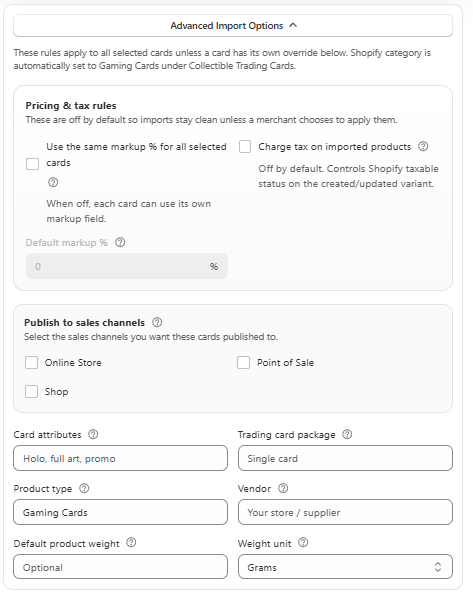
Configure supported pricing, condition and inventory options before starting the import.
THE PROBLEM IT SOLVES
Your stock arrives faster than you can list it
A box opening can leave a vendor with dozens of different cards to sell. A new release can give a store a much larger listing task: identify each card, find an image, enter the set and number, and choose a price. Repeating that work for every product delays the moment customers can browse the stock you actually hold.
TCG Importer supplies a catalogue-based starting point for supported entries. You still decide which products belong in your store, how they should be priced, and what quantities are available. The benefit is a more consistent listing process, with less copying between websites and Shopify product forms.
A WORKFLOW YOU CAN REPEAT
How it works in your store
Find the right entry
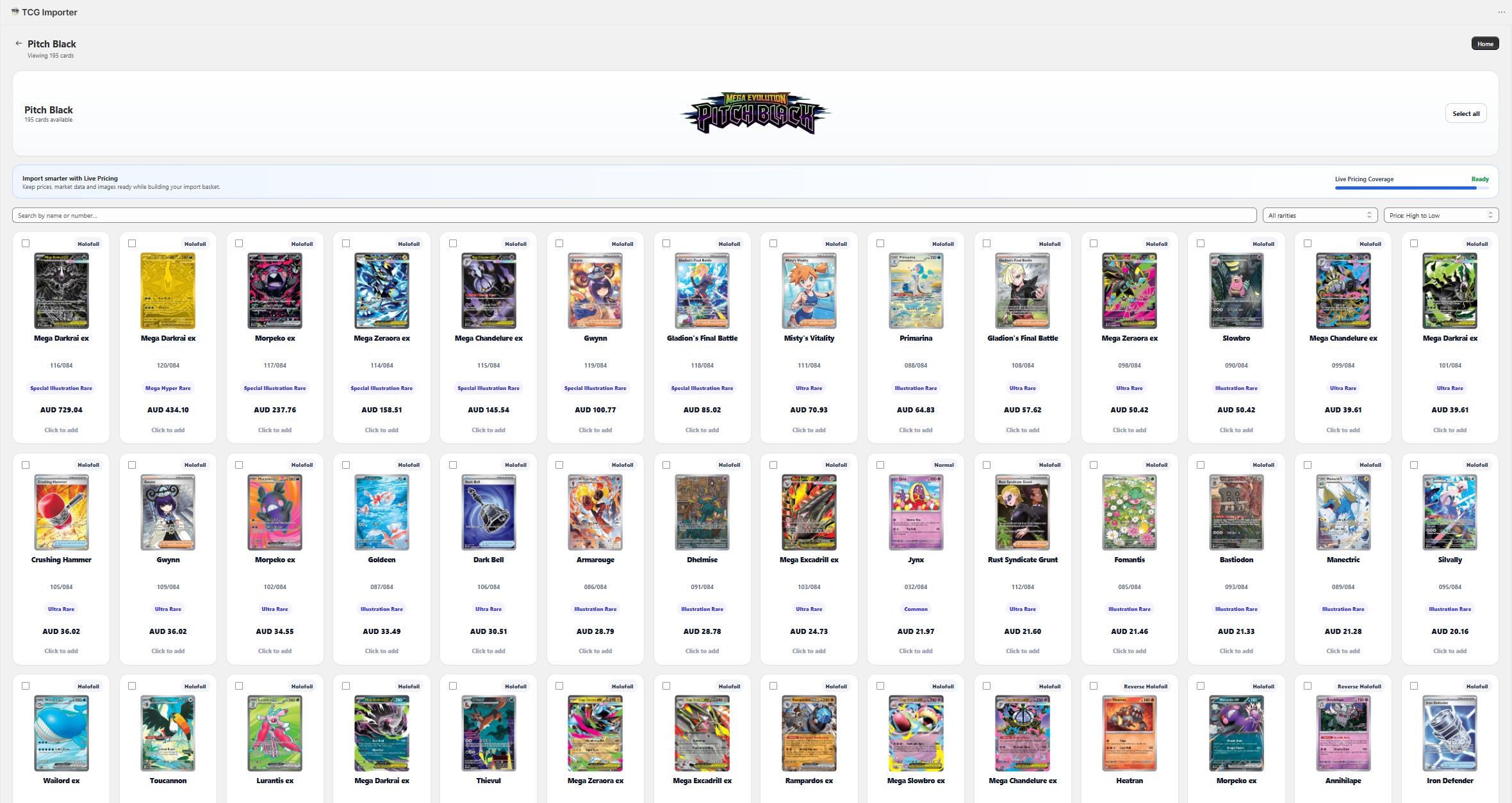
Choose a supported game and set. Check the card number, language, finish and printing before adding it to your selection.
Configure your selection
Review the import settings available to your plan. Set pricing and stock details, and confirm images and other product information.
Import and review in Shopify
Start the batch, follow its progress and inspect the resulting products before making them available on your sales channels.
FOR STORES & VENDORS
A vendor lists the cards they brought back from an event
After a weekend show, a vendor can use the supported set catalogue to identify the remaining singles and prepare their Shopify listings. The card image and available attributes provide a starting point; the vendor checks the actual condition and quantity of each card. The same workflow can help a store prepare supported sealed products for an upcoming release.
BEFORE YOU INSTALL
Bulk product importing: your questions answered
Can I import Pokémon cards and other TCGs?
You can browse supported categories and sets in the app, including Pokémon and other available trading card games. Coverage and product information vary by entry.
Do I need to prepare a CSV?
The catalogue selection workflow lets you select supported products inside TCG Importer rather than prepare a product CSV for that import.
Can I import singles and sealed products?
The app includes supported card and sealed-product entries. Check that the exact item, language and edition you want to sell is available.
Are images and every card attribute guaranteed?
No. Available images, pricing and attributes depend on the catalogue entry. Review the resulting listing before publishing it.
BUILD YOUR WORKFLOW
Explore the connected features
BUILT FOR SHOPIFY TCG STORES
Try the workflow with your own catalogue.
Start with a small selection, review the result in Shopify, and choose the plan that fits how your store works.