SHOPIFY APP · AUTOMATIC COLLECTION CREATION
Turn imported TCG products into easier-to-browse set collections.
A growing catalogue is easier to shop when products have a clear home. TCG Importer offers collection creation during import, helping Shopify card stores group supported products into relevant set collections.
Start with five free product imports. Feature access and allowances depend on your plan.
Give new releases a home
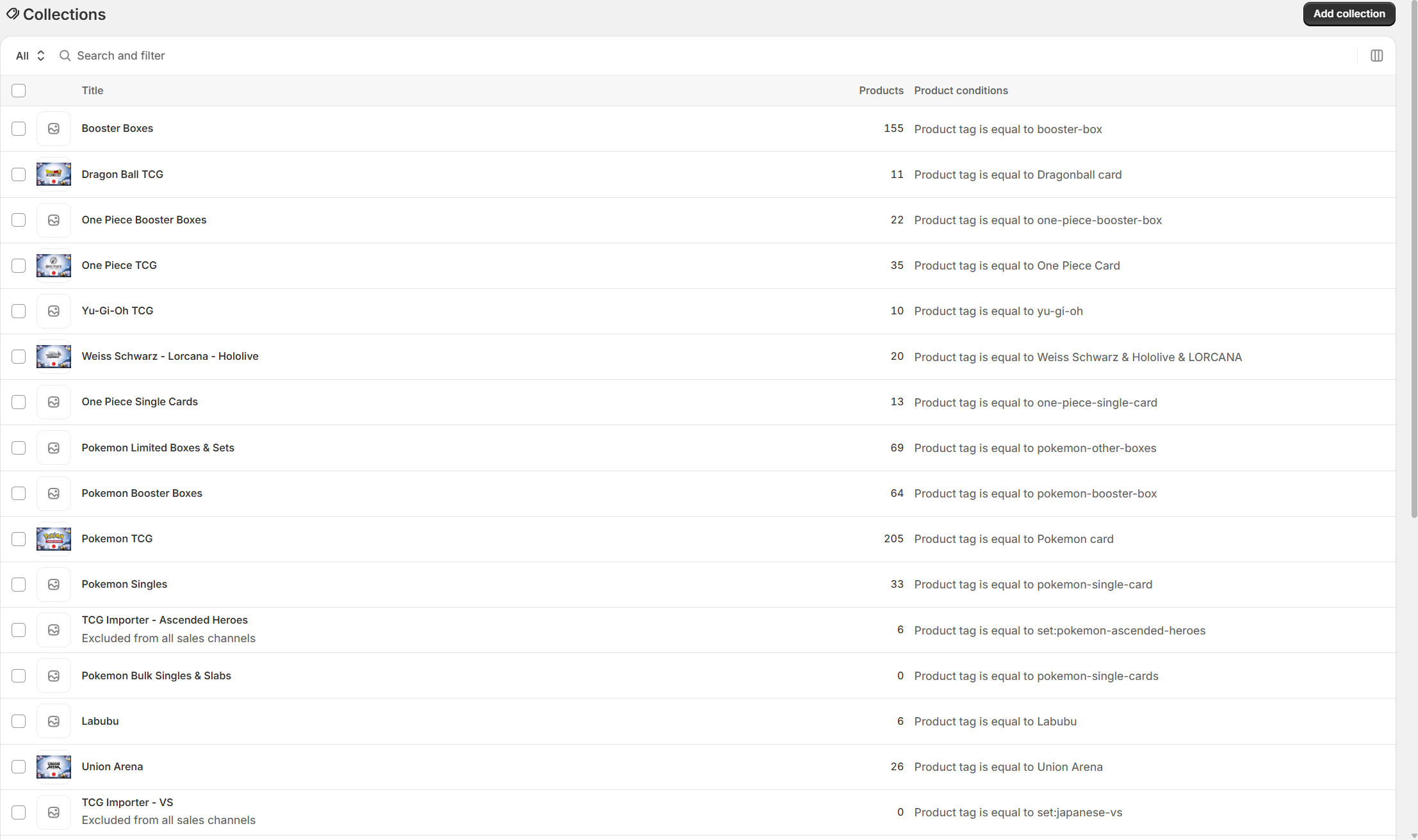
Group supported imports by set so shoppers can browse a release together.
Reduce another setup task
Use the collection option in the import workflow instead of treating organisation as a separate afterthought.
Create clearer navigation
Connect relevant collections to your menus and guides so customers have a route through the catalogue.
THE PROBLEM IT SOLVES
Hundreds of listings still need a route through them
A collector may know the expansion they are completing without knowing the exact card they will buy next. If your store only presents an unstructured product list, that customer has to do more work to find the relevant stock. Collections give related items a place to be browsed together.
Collection creation on import helps establish that structure for supported sets. It does not replace thoughtful storefront navigation: a collection needs an appropriate title, useful content and links from the parts of the store where shoppers expect to find it. Your Shopify theme determines the design, filters and product presentation.
A WORKFLOW YOU CAN REPEAT
How it works in your store
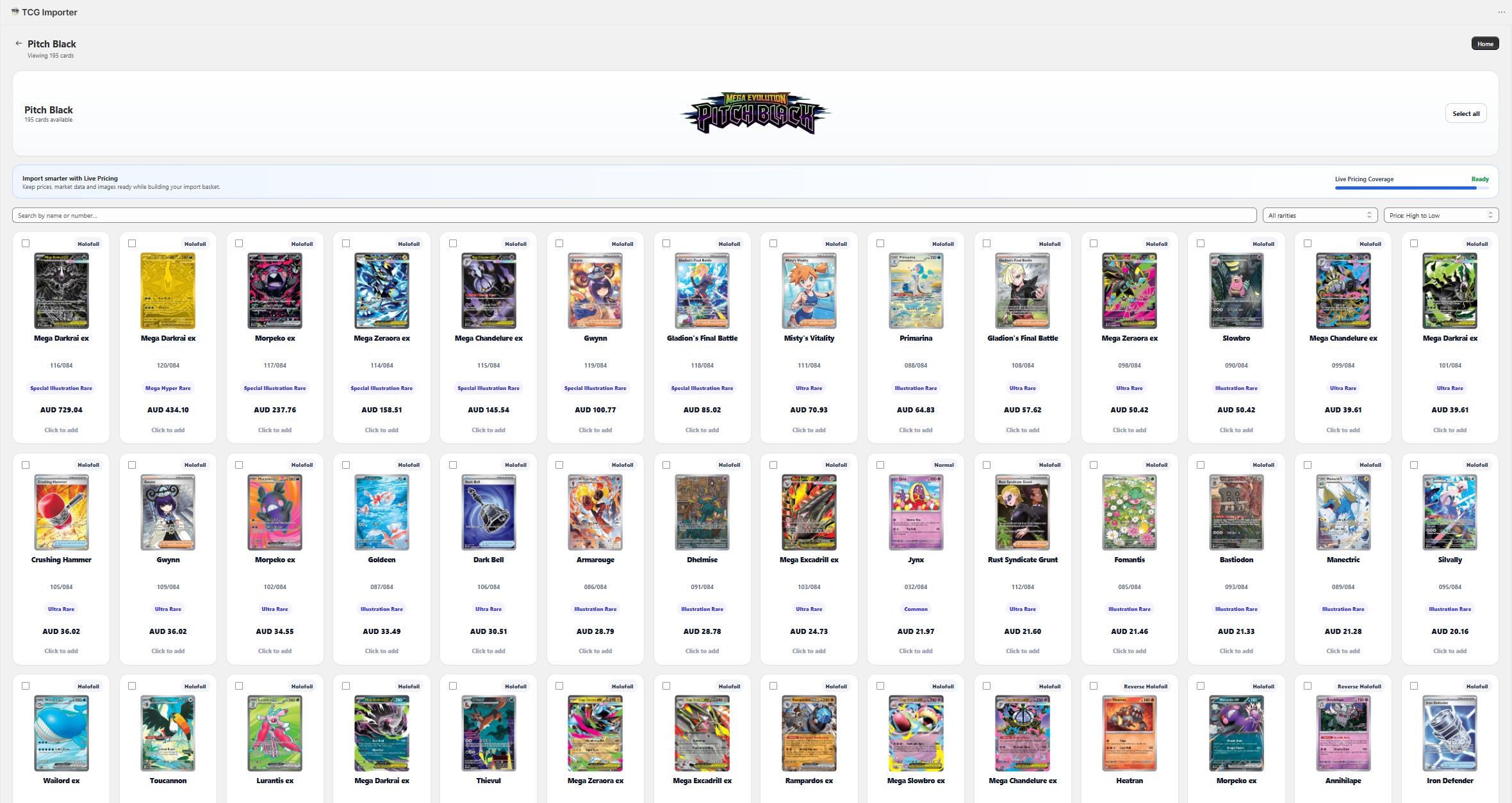
Choose the set you are importing
Check the correct game, set and language before selecting products. Keep similarly named releases distinct.
Review collection creation
Use the available collection option during import. Confirm the resulting grouping and product assignments in Shopify.
Make the collection useful
Add a concise introduction, check its products and link it from relevant navigation. Test the route from your homepage to a set and then to an individual product.
FOR STORES & VENDORS
A new release becomes a destination, not a scattered list
When a card store adds supported products from a new expansion, the collection can provide a single place for customers to browse that release. A store can link the collection from a release guide, a game category or a new-arrivals menu. The merchant still checks the contents and decides which products should be available to buy.
BEFORE YOU INSTALL
Automatic collection creation: your questions answered
Are collections created during import?
TCG Importer provides an option to create collections when supported products are imported. Review the available import settings and resulting collection in Shopify.
Will the collection match my Shopify theme?
The collection is displayed by your Shopify theme. Its layout, filters and visual presentation depend on your theme and settings.
Does collection creation handle my menus?
Do not assume that creating a collection adds a menu link. Review Shopify navigation and link useful collections where shoppers can find them.
Can collections help with SEO?
Useful, linked collection pages can support a clearer site structure. They need relevant content and a good browsing experience; creation alone does not guarantee rankings.
BUILD YOUR WORKFLOW
Explore the connected features
BUILT FOR SHOPIFY TCG STORES
Try the workflow with your own catalogue.
Start with a small selection, review the result in Shopify, and choose the plan that fits how your store works.